
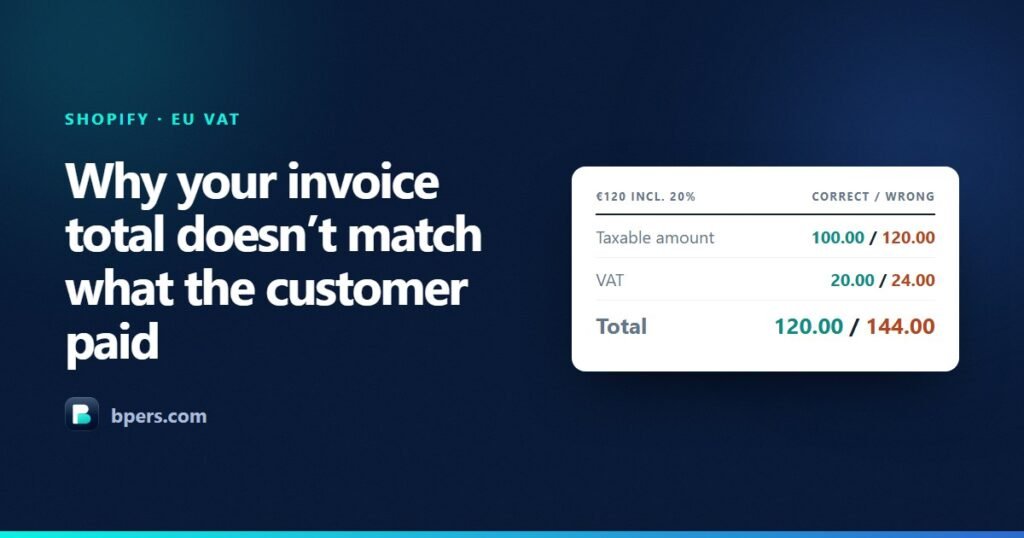
A customer pays €120. The invoice you send them says €144. Nobody has been overcharged — the card was debited €120 and Shopify is quite sure about that — but the document in their inbox disagrees with the payment by €24, and it is the document their accountant will file.
This is the most common way a Shopify invoice is quietly wrong, and it only happens to stores whose prices include tax. Here is exactly where the €24 comes from, and how to tell in about a minute whether your own invoices have it.
Shopify is not the one getting this wrong
Worth saying first, because it is the natural assumption. When you tick Include tax in prices, Shopify computes the tax portion of a gross price with:
Tax = (Tax rate × Price) / (1 + Tax rate)At 20% on a €120 price that gives (0.20 × 120) / 1.20 = €20. Correct. The order in your admin is right, the payout is right, and the tax line on the order is right.
The error appears one step later, in whatever turns that order into a PDF.
The price is not the tax base
An invoice has to show three things that are related but different: the taxable amount (the net, before VAT), the VAT, and the total. On tax-exclusive pricing those are easy, because the price you show is the taxable amount and VAT is simply added on top.
On tax-inclusive pricing the price you show is the total. The taxable amount is smaller, and it has to be worked backwards:
Taxable amount = Gross / (1 + rate)
VAT            = Gross − Taxable amount
The mistake is to treat the price on the storefront as the taxable amount and multiply it by the rate. It looks reasonable. It is wrong on every single line, and it overstates the VAT every time.
The two methods, side by side
| €120 shown, 20% VAT included | Correct | The mistake |
|---|---|---|
| How | 120 ÷ 1.20 |
120 × 0.20 |
| Taxable amount | €100.00 | €120.00 |
| VAT | €20.00 | €24.00 |
| Invoice total | €120.00 | €144.00 |
The gap is €4.00 on one line at 20%. It scales with the rate: at 23% the same €120 gives a €97.56 base and €22.44 of VAT, against €27.60 the wrong way — a gap of €5.16. At 27% it is €6.89.
There is a calculator on our home page that runs both methods at any price and rate, if you would rather see it move than take the arithmetic on trust.
Why it survives so long unnoticed
Three reasons, and they compound.
On tax-exclusive pricing both methods agree. If your store started out excluding tax, every invoice was correct, and nothing announced itself when you switched. The bug arrives with the setting.
The order in Shopify stays right. Your reports, payouts and reconciliation all use the order, not the PDF. Nothing in the admin looks wrong, because nothing in the admin is wrong.
The customer usually does not check. They paid €120, the card statement says €120, and they file the PDF without reading the tax breakdown. It surfaces later — at a VAT return, or when a business customer’s bookkeeper cannot make the numbers agree.
Check your own invoices in about a minute
- Open any recent invoice from a store with tax-inclusive pricing.
- Find the total on the invoice, and the amount the customer actually paid on the Shopify order.
- If they are the same number, your invoices are fine and you can stop here.
- If the invoice total is higher, divide it by
1 + your VAT rate. If that lands on the amount paid, you have this exact problem.
A faster tell: look at the taxable amount printed on the invoice. If it is identical to the gross price on a tax-inclusive store, it is wrong by definition — the taxable amount is always smaller than the gross.
Three places the same mistake hides
1. Reverse charge
On an intra-EU business sale with valid VAT numbers on both sides, the VAT is zero and the buyer accounts for it. The invoice still has to show the taxable amount. Get the base wrong and you have exempted the wrong figure — and because the VAT line reads €0.00, nothing looks odd. The buyer then declares the wrong number in their own return.
2. Rounding, per line or per invoice
Take the tax of each line to two decimals and add them up, and you can land a cent or two away from taking the tax of the invoice total in one go. Both are defensible; using one on the document and the other in your reporting is not, because the two will disagree at scale and neither will reconcile.
3. Credit notes
A credit note has to reverse the original exactly. If the invoice used the wrong base, the credit note has to repeat the same wrong base to net to zero — or you have a residual on the account that nobody can explain. Fixing the invoice generator without going back through the credits already issued creates a second problem out of the first.
What a correct invoice shows
For a tax-inclusive store, on every document:
- The taxable amount, which is the gross divided by one plus the rate — never the shelf price
- The VAT, as gross minus that taxable amount
- A total that equals what the customer paid, to the cent
- A summary by rate where an order mixes rates, since a standard-rated item and a reduced-rated one cannot share a line
- Both VAT numbers where reverse charge applies, with the wording that carries the exemption
If your invoice tool prints a total that does not match the payment, none of the rest of it matters much. Start there.
If you want this handled
We build Reamly, a Shopify app that generates invoices, packing slips and credit notes, and computing the VAT base correctly on tax-inclusive pricing is the case it was built around. It also does bulk printing, reverse charge with VIES validation, and gap-free numbering.
But you do not need it to fix this. The check above takes a minute, and any invoicing tool that gets the arithmetic right will do. The point of this post is that most people never think to look, because nothing in Shopify tells them to.
This is a description of arithmetic, not tax advice. Rounding conventions and invoice content requirements vary between member states — if the numbers on your invoices do not reconcile, talk to your accountant before you file.